Volumes
A volume is a network-attached block device, durable independently of any VM. You can:
- Boot a VM from a volume (
root_volume) or treat it as additional data storage. - Detach a volume from one VM and attach it to another.
- Resize while attached (no detach required).
- Snapshot for backup or for stamping out new VMs.
Volumes are zonal — they live in one zone and can only attach to VMs in the same zone. With one zone today (mum-1a) this is implicit.
Create
exc compute volume create \
  --name app-data \
  --size_gib 100 \
  --baseline_iops 6000 \
  --baseline_throughput_mbps 250
Required: name, size_gib.
Optional: baseline_iops and baseline_throughput_mbps provision guaranteed performance. Omit them and you get the default tier for the size. To stamp a new volume from an existing snapshot, pass --source_snapshot_id <id>.
Attach / detach
exc compute volume attach --vm_id 42 --volume_id 7
exc compute volume detach --vm_id 42 --volume_id 7
A volume can only be attached to one VM at a time. Detach is safe at any time but won’t quiesce filesystems — unmount inside the guest first.
To list attachments:
exc compute volume attachments --vm_id 42Resize
exc compute volume resize --volume_id 7 --new_size_gib 200Resize works while the volume is attached and the VM is running. Filesystem grow is your responsibility — typically growpart + resize2fs / xfs_growfs inside the guest.
You can only grow, not shrink. You can also bump --baseline_iops and --baseline_throughput_mbps here without changing the size.
Lifecycle
exc compute volume list
exc compute volume get    --id 7
exc compute volume rename --volume_id 7 --name app-data-v2
exc compute volume delete --volume_id 7
Delete requires the volume to be detached. If it was the root volume of a VM, terminating that VM detaches it automatically (and, by default, deletes it).
Console
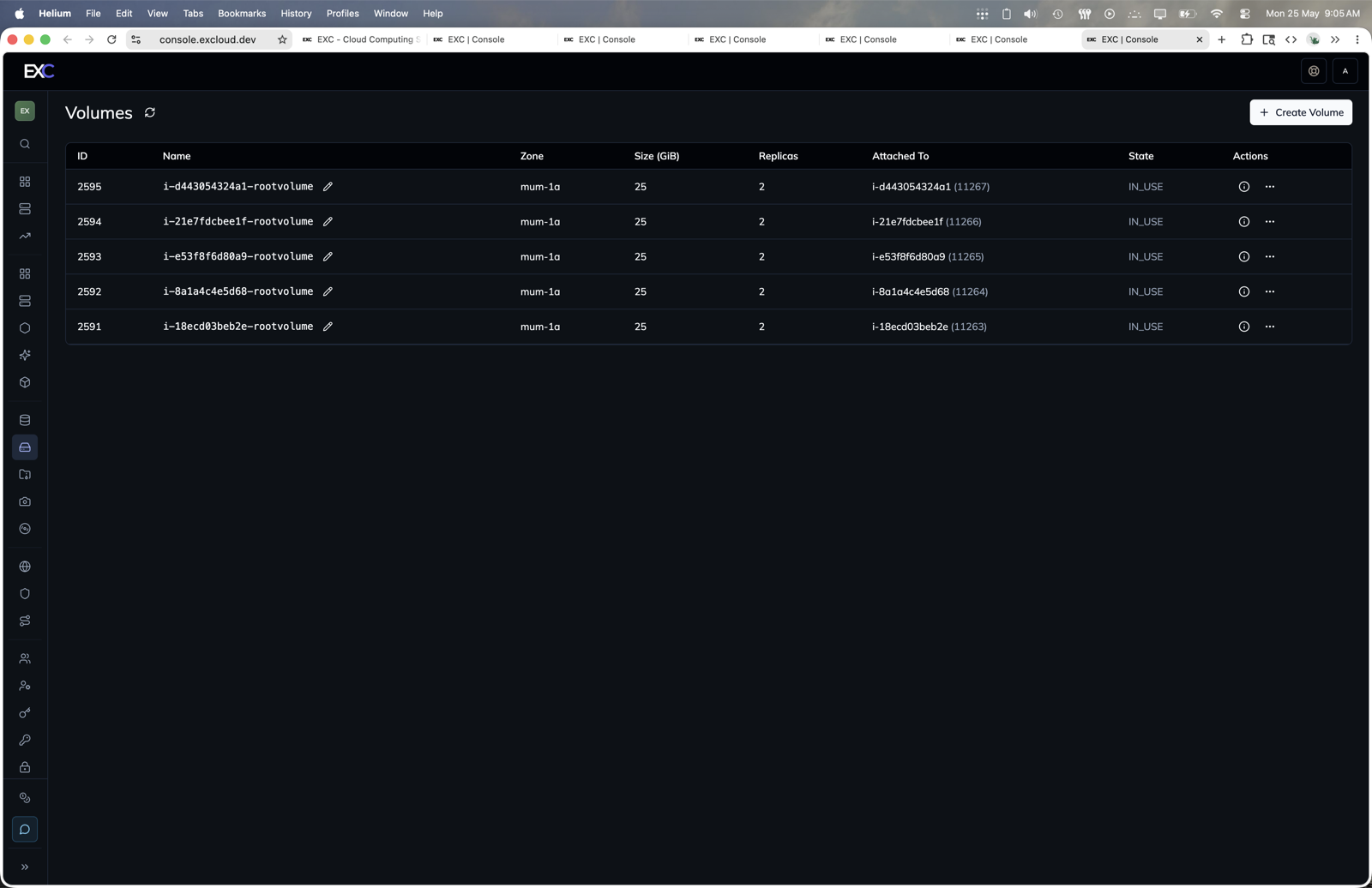
- Open console.excloud.dev/console/volume.
- Click Create Volume to create a standalone block volume.
- Use the volume row actions to inspect, attach, detach, resize, rename, or delete it.
Snapshots
Take a point-in-time copy with exc compute snapshot create --volume_id 7. Snapshots can be used as the source for a new root volume (--root_volume_source_snapshot_id) — see
Snapshots.
Terraform
The matching resources are
excloud_volume and
excloud_volume_attachment. Snapshots are
excloud_snapshot.