Secrets
The Secrets service is a small KMS-style store designed for the secrets you’d otherwise drop in .env files, GitHub Actions secrets, or kubectl create secret. It is:
- Org-scoped. Every secret belongs to one Excloud org. IAM bindings control who can read/write.
- Path-addressed. You name secrets by path (
/app/prod/db_url), so they’re easy to organise and discover. - Versioned. Every update creates a new version; you can read older versions explicitly.
- Encrypted at rest. AES-256-GCM with a key managed by Excloud (rotated periodically).
- Audited on read.
revealis the only call that returns the plaintext, and every call is logged with the requesting identity.
In this section
| Page | Covers |
|---|---|
| Quickstart | Create, fetch, version, and audit a secret |
Concept summary
| Operation | Returns plaintext? | Audited? |
|---|---|---|
create / version add | No | Yes |
list / get / lookup | No — metadata only | Yes |
reveal | Yes | Yes |
events | Audit log itself | — |
delete (soft) | No | Yes |
Calls that don’t touch plaintext (everything except reveal) are cheap, so write your code to fetch metadata often and reveal only when you actually need the value.
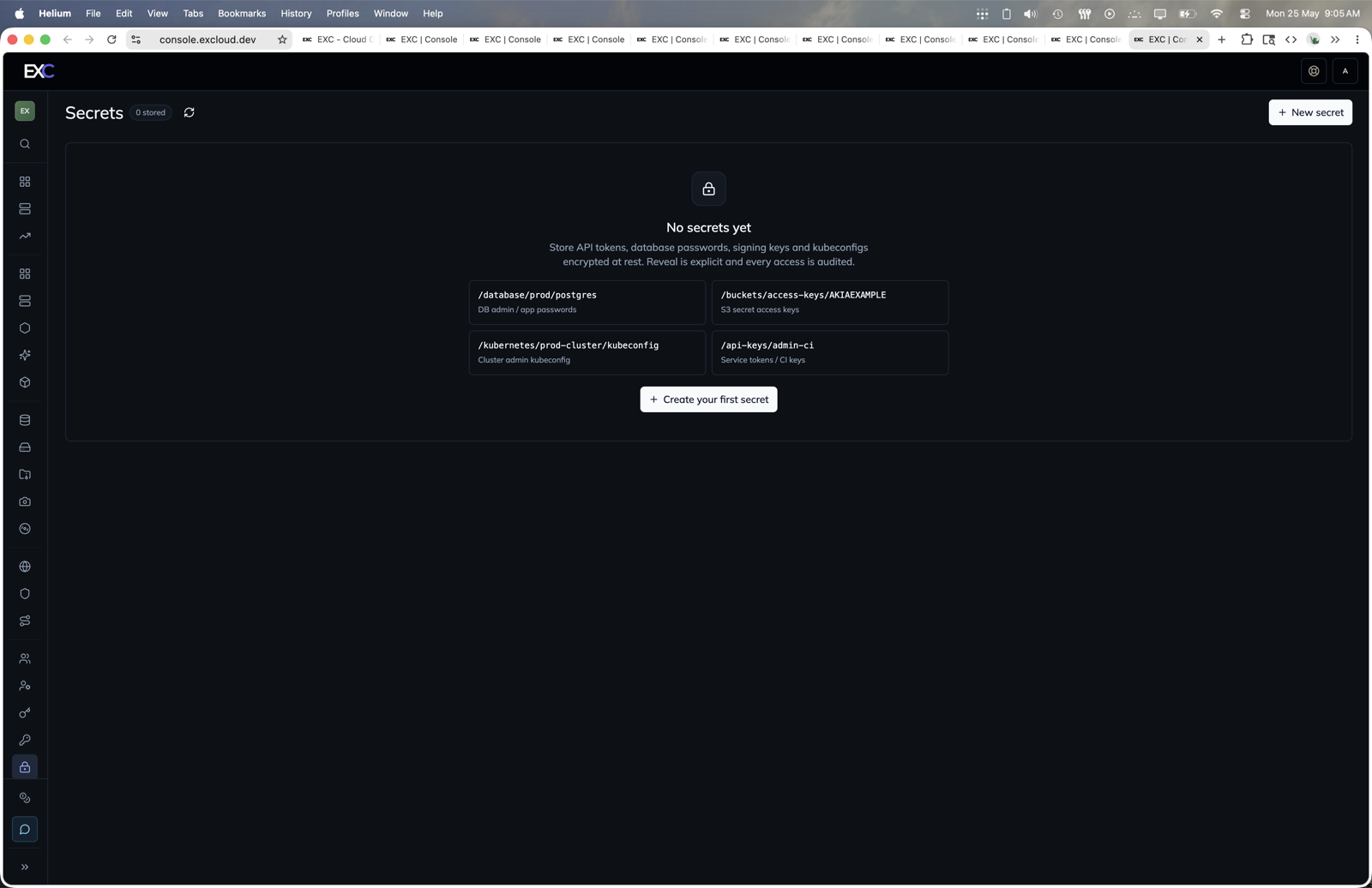
Console
- Open console.excloud.dev/console/secrets.
- Click New secret or Create your first secret.
- Set the secret path and value.
- Use reveal and events actions when you need plaintext or audit history.
CLI cheatsheet
# Create — prefer --from-stdin or --from-file over inline --value in production
exc secret create --path /app/prod/db_url --value 'postgres://…'

# List or look up by path
exc secret list
exc secret lookup --path /app/prod/db_url
exc secret get    --path /app/prod/db_url     # or --id <int>

# Read the value (every call is audited)
exc secret reveal --path /app/prod/db_url

# Manage versions
exc secret version list --path /app/prod/db_url
exc secret version add  --path /app/prod/db_url --value 'postgres://newhost…'

# See who read it
exc secret events --path /app/prod/db_url

# Soft-delete (--yes to skip the prompt in scripts)
exc secret delete --path /app/prod/db_url --yes
Every command accepts --path or --id. The id is an integer returned by create/list/lookup; pinning by id is useful when you might rename a path later.
When (not) to use this
Use the Secrets service when you have:
- Long-lived credentials shared between several services / VMs.
- Anything you want a clear audit log on.
- Values that change less than once a day.
Don’t use it for:
- Per-request ephemeral tokens — fetch from the source each time.
- Public configuration — use plain config files / env vars.
- High-throughput hot paths — cache the plaintext in your process after the first reveal.