Quickstart
Install the Excloud CLI from the CLI installation guide, then log in:
exc login1. Create the cluster
In the console, open console.excloud.dev/console/streams and click New cluster.
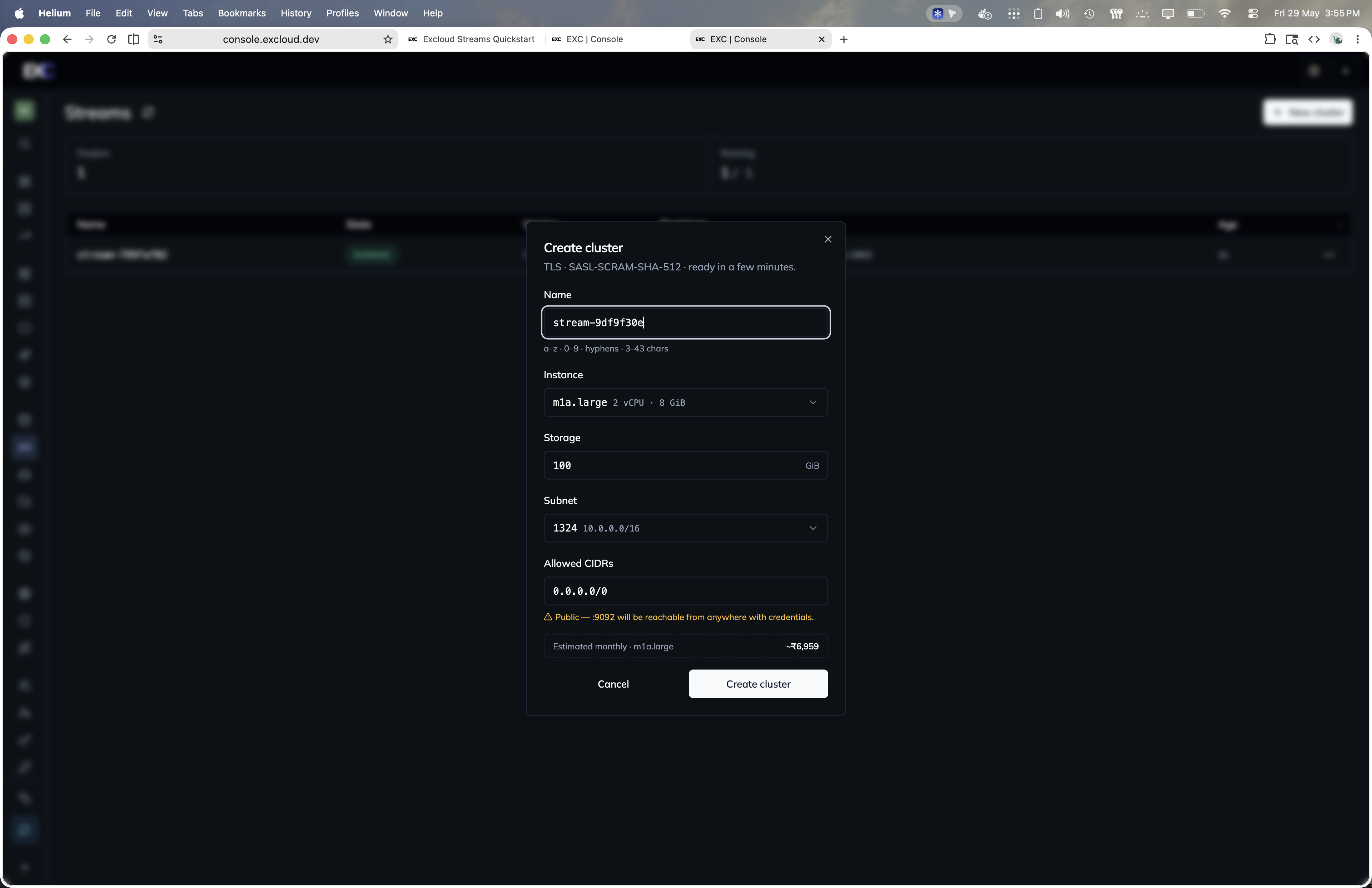
Or create the cluster from the CLI:
exc stream create \
  --name events-prod \
  --zone_id 1 \
  --subnet_id 1 \
  --instance_type m1a.medium \
  --root_volume_size_gib 100 \
  --allowed_cidrs 203.0.113.0/24 \
  --wait
The response contains:
cluster.cluster_id— pin this in your configcluster.public_bootstrap_endpoint— what clients connect to, e.g.events-prod.stream.excloud.co.in:9092cluster.state—CREATINGuntil the cluster is ready (RUNNING)admin_username/admin_password— the admin SCRAM credential, shown only at create timebootstrap— CA certificate, auth mode, and aclient_propertiesblob
Capture the admin credential immediately. --wait keeps the command open until the cluster reaches RUNNING.
2. Get connection details
exc stream bootstrap --id <cluster_id>Returns everything a Kafka client needs:
| Field | Value |
|---|---|
bootstrap_servers | events-prod.stream.excloud.co.in:9092 |
security_protocol | SASL_SSL |
sasl_mechanism | SCRAM-SHA-512 |
ca_cert | PEM CA certificate |
client_properties | Ready-to-use client.properties |
Save the CA to a file and write a client.properties:
bootstrap.servers=events-prod.stream.excloud.co.in:9092
security.protocol=SASL_SSL
sasl.mechanism=SCRAM-SHA-512
sasl.jaas.config=org.apache.kafka.common.security.scram.ScramLoginModule required username="admin" password="<admin_password>";
ssl.truststore.type=PEM
ssl.truststore.location=/path/to/excloud-stream-ca.pem
3. Don’t leave the password in your shell history
Move it into Secrets so consumers fetch it from one place:
exc secret create --path stream/events-prod/admin --from-stdinThen in your app:
STREAM_PASSWORD=$(exc secret reveal --path stream/events-prod/admin)4. Create a topic
exc stream topic create \
  --id <cluster_id> \
  --name orders \
  --partitions 12
5. Produce and consume
With the Kafka console tools and the client.properties from step 2:
kafka-console-producer.sh \
  --bootstrap-server events-prod.stream.excloud.co.in:9092 \
  --producer.config client.properties \
  --topic orders

kafka-console-consumer.sh \
  --bootstrap-server events-prod.stream.excloud.co.in:9092 \
  --consumer.config client.properties \
  --topic orders --from-beginning
6. Tear down
exc stream terminate --id <cluster_id> --waitTerminate is irreversible and the stored data is lost. Make sure you’ve consumed or copied anything you need first.
Next
- Clusters — full cluster lifecycle reference.
- Topics — partitions, retention, cleanup policy.
- Users & ACLs — least-privilege credentials for your apps.
Next
Clusters